
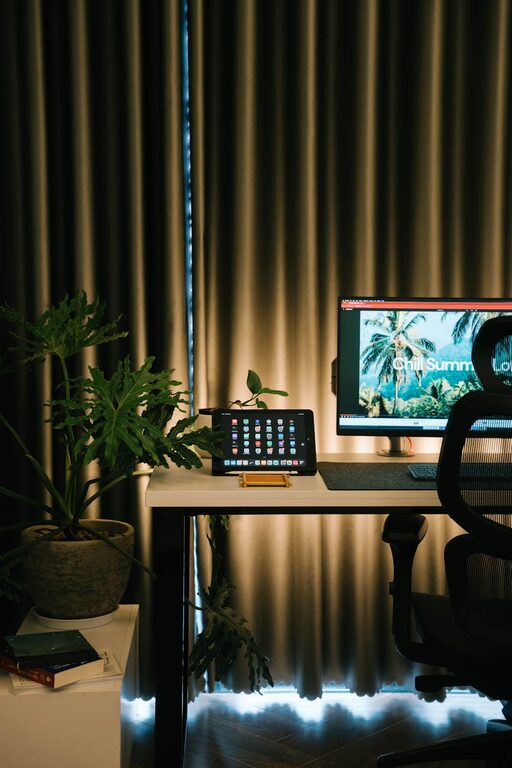
Creating a home workspace that blends comfort with productivity is key to enjoying your work-from-home routine. Whether you’re new to remote work or looking to upgrade your current setup, a cozy and efficient workspace can make a huge difference in your daily focus and motivation.
In this post, we’ll explore practical tips on how to set up a home office that feels inviting yet keeps you on track throughout your workday.
Choose the Right Location
Selecting the right spot in your home is the first step toward an effective workspace.
– Quiet and Separate Area: Pick a space that is free from distractions and noise. If possible, choose a separate room to help mentally separate work from home life.
– Natural Light: Position your desk near windows to maximize daylight. Natural light can boost mood and reduce eye strain.
– Comfortable Temperature: Ensure the room has proper ventilation and heating or cooling so you stay comfortable all day.
Invest in Comfortable and Functional Furniture
Your furniture sets the foundation for comfort and productivity.
– Ergonomic Chair: A supportive office chair is essential to prevent back pain and fatigue.
– Suitable Desk: Choose a desk with enough surface area for your computer, documents, and other tools without feeling cramped.
– Adjustable Options: Consider desks or chairs with adjustable height to accommodate different tasks or standing work.
Organize With Purpose
Organization reduces clutter and helps you find what you need quickly.
– Storage Solutions: Use shelves, filing cabinets, or storage bins to keep supplies and documents organized.
– Desk Organizers: Maintain a tidy desk with organizers for pens, papers, and tech accessories.
– Cable Management: Arrange cables neatly using clips or sleeves to avoid tangles and distraction.
Personalize Your Space
Adding personal touches makes your workspace welcoming and inspiring.
– Decor: Include artwork, plants, or meaningful objects that uplift your mood.
– Color Palette: Use calming or motivating colors that suit your style—soft blues, greens, or warm tones work well.
– Lighting: Along with natural light, add adjustable lamps for the right illumination during late hours.
Minimize Distractions
A focused environment helps increase productivity.
– Limit Noise: Use noise-canceling headphones or white noise machines if external sounds are a problem.
– Digital Discipline: Silence non-work related notifications and close unnecessary tabs on your computer.
– Defined Work Hours: Set clear boundaries with family or housemates about your work schedule.
Incorporate Healthy Habits
Your workspace should support your physical and mental well-being.
– Stretch and Move: Remind yourself to take short breaks for stretching or walking.
– Hydration: Keep water nearby and stay hydrated throughout the day.
– Good Posture: Maintain a proper posture by adjusting your chair and screen height.
Utilize Technology Wisely
The right tools can streamline your tasks.
– Reliable Internet: Ensure strong and stable connectivity for virtual meetings.
– Productivity Apps: Use calendar, task management, or note-taking apps to stay organized.
– Dual Monitors: If your work involves multitasking, consider an extra screen to increase efficiency.
Keep It Flexible
A workspace that adapts to your needs allows for better productivity.
– Adjust Setup: Change your desk layout or seating positions depending on your daily tasks.
– Multi-use Areas: If space is limited, create zones that can transform between work and relaxation.
Final Thoughts
Designing a cozy and productive home workspace is all about combining comfort, functionality, and personal style. By carefully choosing your location, investing in ergonomic furniture, keeping organized, and incorporating healthy routines, you set yourself up for success while working from home.
Remember, your workspace should support your unique workflow and feel like a place you enjoy spending time in. With these tips, you can create an environment where productivity and comfort go hand in hand.