
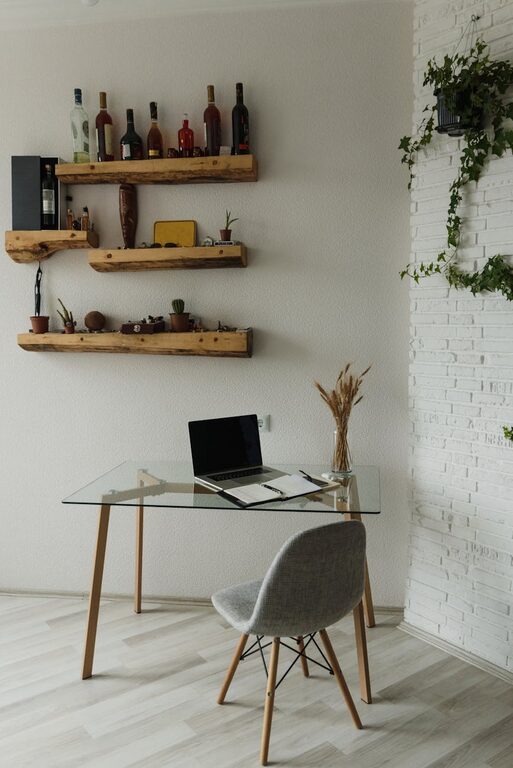
Creating a home workspace that is both cozy and functional can significantly enhance your productivity and overall work experience. Whether you work remotely full-time or occasionally, designing a space that promotes focus while maintaining comfort is key. In this post, we’ll share helpful tips to help you build a workspace that suits your style and needs.
Choose the Right Location
Selecting the right spot in your home is the first step to a productive workspace.
– Natural Light: Aim for a location near a window to benefit from natural light, which can boost mood and reduce eye strain.
– Quiet and Private: Pick a quiet area away from distractions like the kitchen or TV.
– Space: Ensure there is enough room for your desk, chair, and any necessary equipment.
Invest in Comfortable and Ergonomic Furniture
Comfort is crucial when working for long hours.
– Desk: Choose a desk at the proper height so your arms rest comfortably while typing.
– Chair: Invest in an ergonomic chair with adjustable height and lumbar support to maintain good posture.
– Accessories: Consider footrests, wrist supports, and monitor stands to reduce physical strain.
Optimize Lighting
Good lighting reduces fatigue and eye strain.
– Task Lighting: Use a desk lamp with adjustable brightness and direction to illuminate your work area.
– Avoid Glare: Position screens to avoid direct sunlight or reflections.
– Warm Lighting: Incorporate warm light bulbs for a cozy atmosphere.
Organize and Declutter
An organized workspace can improve focus and reduce stress.
– Storage Solutions: Use shelves, drawers, or filing cabinets to keep supplies and documents organized.
– Minimal Decor: Keep decorations minimal to prevent distractions but add a few personal touches like plants or photos.
– Cable Management: Use clips or cable organizers to keep cords tidy.
Personalize Your Space
Adding personal touches can make your workspace more inviting.
– Plants: Indoor plants improve air quality and add a natural feel.
– Artwork: Choose calming or inspiring artwork to decorate walls.
– Soft Textiles: Add a cozy rug or cushions to soften the space.
Set Up Technology Efficiently
Ensure your technology supports your workflow without clutter.
– Reliable Internet: Position yourself closer to the router or use a wired connection for stability.
– Essential Devices: Have necessary devices like monitors, printers, or tablets within easy reach.
– Wireless Options: Use wireless keyboards and mice to reduce cable clutter.
Create Boundaries Between Work and Relaxation
To maintain balance, help your brain switch between work and downtime.
– Separate Workspace: If possible, use a dedicated room or corner solely for work.
– Visual Cues: Use a room divider or curtain to mark the workspace.
– End-of-Day Rituals: Clean your desk or shut down your computer to signal the end of work.
Manage Noise Levels
A quiet environment aids concentration.
– Noise-Cancelling Headphones: Use these to block distractions.
– Background Music: Soft instrumental music or white noise machines can help some people focus.
– Soundproofing: Add rugs, curtains, or acoustic panels to reduce echo.
Maintain a Healthy Routine
Your workspace should support habits that promote well-being.
– Movement: Include time for breaks, stretching, or walking.
– Hydration and Snacks: Keep a water bottle and healthy snacks nearby.
– Air Quality: Ventilate the room regularly to keep fresh air circulating.
—
Creating a cozy and functional home workspace is a process that can be tailored to your personal preferences and work demands. By paying attention to comfort, organization, lighting, and personalization, you can build a space that not only helps you work efficiently but also makes your workday more enjoyable. Give these tips a try and watch your productivity and comfort improve!