
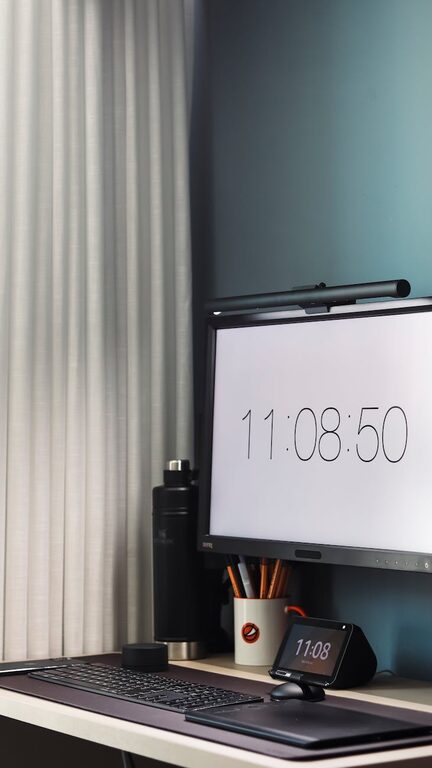
Creating an organized home office is a key step towards enhancing your productivity and making your workday more efficient. When your workspace is cluttered or disorganized, it can become a source of distraction and stress. In this post, we’ll walk you through simple, practical tips to help you tidy up your home office and optimize it for focus and effectiveness.
Why Organize Your Home Office?
An organized workspace promotes clarity and motivation. When everything has a designated place, you spend less time searching for items and more time completing your tasks. Plus, a neat office environment supports better mental well-being and helps you maintain a clear distinction between work and personal time.
1. Choose the Right Space
Before organizing materials, decide on the ideal spot for your home office. A quiet corner with natural light is usually best, as it minimizes distractions and reduces eye strain.
– Ensure you have enough room for your desk, chair, and essential equipment.
– Consider the layout flow so you can move comfortably without clutter.
2. Declutter Your Desk
Your desk is the centerpiece of your workspace. Keeping it clear and tidy helps maintain focus.
– Remove items you do not use daily.
– Use desk organizers for pens, paper, and accessories.
– Limit decorations to a few inspiring but non-distracting pieces.
3. Use Storage Solutions Wisely
Storage units like shelves, filing cabinets, or drawers keep your supplies and documents organized.
– Label your storage containers for quick identification.
– Group similar items together (e.g., all stationery in one drawer).
– Use vertical space with wall-mounted shelves or pegboards.
4. Manage Your Cables and Electronics
Tangled cords can create visual chaos and hazards.
– Use cable management clips, sleeves, or boxes to keep cords neat.
– Place electronics thoughtfully to avoid overcrowding your desktop.
– Invest in wireless accessories where possible.
5. Create Effective Filing Systems
Whether digital or paper, an efficient filing system saves time and reduces stress.
– For paper files, use color-coded folders or binders.
– Keep frequently used documents within arm’s reach.
– Regularly review and archive outdated files.
6. Personalize Your Space, But Keep It Functional
Adding personal touches like plants or artwork can make your office inviting, but be careful not to overdo it.
– Choose low-maintenance plants to improve air quality.
– Hang a calendar or whiteboard for scheduling and notes.
– Keep personal items limited to avoid clutter.
7. Optimize Lighting
Good lighting improves focus and reduces eye fatigue.
– Position your desk near a window for natural light.
– Add task lighting such as adjustable desk lamps.
– Choose bulbs that provide bright, warm light for comfort.
8. Implement Daily Tidying Habits
Maintaining an organized office requires regular upkeep.
– Spend 5 minutes at the end of each day clearing your desk.
– Put things back to their designated places after use.
– Keep a wastebasket handy to avoid accumulating trash.
9. Prioritize Comfort and Ergonomics
Comfortable working conditions increase productivity and prevent injury.
– Use an adjustable chair with good lumbar support.
– Position your monitor at eye level.
– Keep your keyboard and mouse within comfortable reach.
10. Use Time Management Tools
An organized office pairs well with effective time management.
– Use planners, apps, or timers to structure your workday.
– Set clear goals for each session.
– Take regular breaks to stay refreshed.
—
By applying these simple tips, you can transform your home office into a productive and pleasant workspace. Remember that organization is an ongoing process—adjust your setup as your needs evolve, and maintain routines that keep your office tidy and efficient. A well-organized office isn’t just about looks; it’s about supporting your ability to focus, create, and succeed.